


No products in the cart.


Free Shipping Australia-Wide

5 star customer service

Quality Tested Products

Finding a great smartwatch that pairs with your Android phone doesn't mean you have to brace for a huge price tag. The good news? High-quality, affordable smartwatches for Android are more accessible and powerful than ever before.
It's a lot like how smartphones evolved. Not too long ago, amazing features were locked away in the most expensive models, but now, those same perks are becoming standard in devices that are much easier on the wallet.
This guide is designed to be your map through this exciting and often confusing market. We'll cut through the noise and talk about what really matters—from health tracking and battery life to style and everyday convenience. The goal is to help you find a watch that genuinely fits your life without forcing you to empty your bank account.
The global smartwatch market is absolutely booming, which is fantastic for Android users looking for a great deal. In 2023, the market was valued at USD 34.1 billion, jumped to USD 37.24 billion in 2024, and is on track to hit an incredible USD 75.29 billion by 2032. This explosive growth fuels intense competition and innovation. You can dive deeper into these trends in this detailed report on smartwatch market growth.
What does this all mean for you? It means features that used to be exclusive to the priciest flagship watches are now showing up in models that are much more affordable.
The core idea is simple: You no longer need to spend a fortune to get a capable and reliable wrist-based companion for your Android phone. The value proposition has never been better.
One of the biggest myths out there is that "affordable" means you're giving up all the good stuff. Thankfully, that couldn't be further from the truth these days. Budget-friendly smartwatches pack a surprising punch, delivering a ton of utility that makes them a genuinely practical choice for most people.
To give you a clearer picture, here’s a quick breakdown of what you can realistically expect from an affordable model.
| Feature Category | What You Get in a Budget Model | Why It Matters |
|---|---|---|
| Health & Fitness Tracking | Core metrics like heart rate, sleep analysis, step counting, and multiple sport modes. | Provides actionable insights into your daily activity and overall wellness without needing a premium device. |
| Notifications & Connectivity | Call alerts, text previews, and app notifications directly on your wrist. | Keeps you connected and informed at a glance, reducing the need to constantly check your phone. |
| Battery Life | Often lasts several days to over a week on a single charge. | Offers greater convenience and ensures uninterrupted tracking, especially for sleep and multi-day activities. |
As you can see, the essentials are more than covered. These devices are built to handle the core tasks that make a smartwatch so useful in the first place, proving that you can get great functionality without the premium cost.
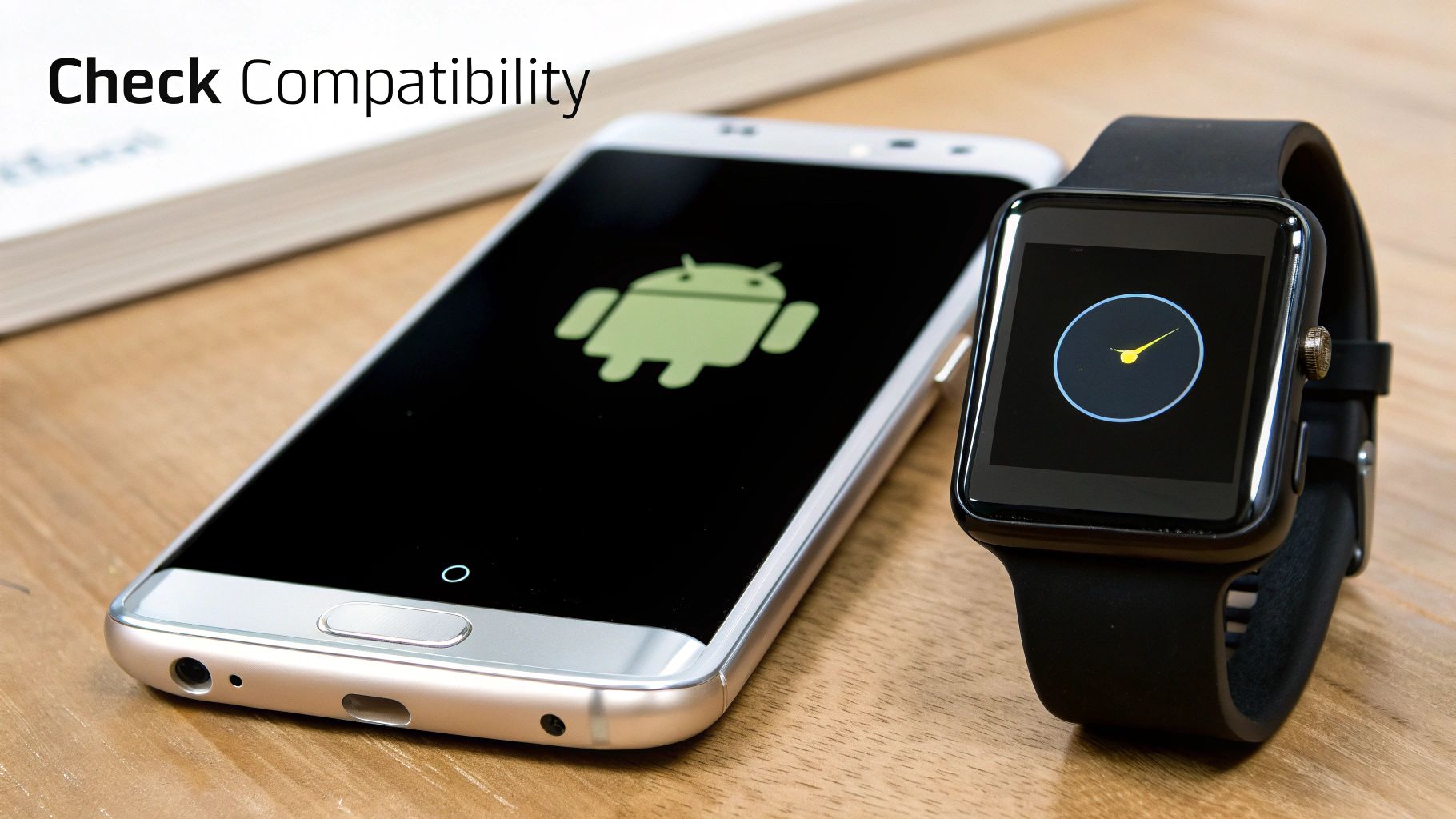
Before we even get into shiny features and cool watch faces, there’s one question that trumps all others: will this watch actually play nice with your Android phone? Getting compatibility right is the absolute foundation of a good smartwatch experience. It’s not just a technical detail; it’s about the watch’s operating system (OS) and how well it communicates with your phone.
Think of the OS as the watch’s brain and personality. It dictates which apps you can use, how your notifications behave, and even how long the battery lasts. For anyone hunting for affordable smart watches for Android, nailing this first step is crucial. A poor match means dropped connections, missed alerts, and a gadget that feels more like a chore than a companion.
As you browse for a watch that won't break the bank, you’ll quickly notice that most of them run on one of two types of software. Each has a totally different philosophy and comes with its own set of pros and cons.
So, what’s the catch? It’s a classic trade-off. Wear OS gives you endless apps and customization, but all that power can drain the battery faster. A proprietary OS gives you marathon-like battery life but locks you into the apps and watch faces the manufacturer provides. There's no right answer, just what's right for you.
Don't just take the "Android compatible" label on the box at face value. You need to dig a little deeper to make sure a watch will work perfectly with your specific phone and its current software version. It’s possible for a watch to connect but still have key features fail because your phone's OS is too old.
The goal is to find a device that feels like a natural partner to your phone, not a frustrating accessory. The watch's companion app is the bridge that makes this connection possible, so its quality and your phone's ability to run it smoothly are non-negotiable.
Here’s a quick checklist to run through before you hit "buy":
When you're hunting for a great, affordable smartwatch for your Android phone, it's easy to get buried in spec sheets and marketing hype. The trick is to cut through the noise and focus on the features that actually make a difference in your day-to-day life. If you know what to prioritize, you can get a watch that’s genuinely helpful, not just a gadget with a long list of features you'll never touch.
Think of it like buying a car. You might not need the fancy leather seats or a high-end sound system, but you absolutely need reliable brakes and a decent engine. It’s the same idea here—let's nail down the fundamentals that make a smartwatch a worthwhile tool.
For a lot of us, keeping an eye on our health is the number one reason to get a smartwatch in the first place. The good news is that even budget-friendly models now come packed with impressive sensors that give you a solid window into your daily activity and wellness.
These features have gotten surprisingly good over the years, turning what’s on your wrist into a personal health dashboard. Here’s what I’d consider non-negotiable:
Just a quick reality check: while the data these watches provide is fantastic for personal tracking, they're wellness gadgets, not medical equipment. They're perfect for spotting trends, but for any real health concerns, your doctor is always the best source of advice.
Beyond fitness, a smartwatch has to actually be smart. That means it should work seamlessly with your Android phone, keeping you in the loop so you're not constantly yanking your phone out of your pocket.
The real magic of a smartwatch isn't just what it tracks, but how it simplifies your access to information. It should reduce your screen time, not add to it.
These are the essential smart features that deliver the most bang for your buck:
Let's talk money. Figuring out the world of affordable smart watches for Android gets a whole lot easier once you understand what you get for what you pay. The market isn't just a jumble of random gadgets; it’s broken down into pretty clear tiers, each with a predictable set of features and build quality. Knowing what to expect at your price point is the secret to finding a watch that feels like a bargain, not a letdown.
Think of it like buying a plane ticket. Economy gets you there, sure, but bumping up to premium economy might mean extra legroom and a better meal. It's the same with smartwatches. A small jump in your budget can often unlock major upgrades in screen quality, sensor accuracy, and the overall feel of the device.
Dipping your toes in the water? In the sub-$50 range, you'll find the most fundamental, no-frills devices. These are the workhorses of the wearable world, built to nail the basics. You can absolutely count on them for solid step counting, simple sleep tracking, and buzzing your wrist with notifications from your Android phone.
This is a fantastic, low-risk way to see if a smartwatch is even for you. Just know what you're getting into. You'll likely get a basic LCD screen instead of a punchy AMOLED display, and features like built-in GPS are almost never on the menu. These watches will piggyback off your phone’s GPS to track your runs or bike rides.
This is where things get really interesting. For most people, the $50 to $100 range is the sweet spot where you get the biggest bang for your buck. Spending just a little more here unlocks a huge leap in both quality and capability.
The market for affordable Android watches has exploded, and models priced from $50-$200 are now packed with features like voice assistants and AI-driven fitness coaching. In fact, a whopping 70% of models under $100 now come with brilliant OLED displays and offer round-the-clock health tracking. You can find more details on the growth of the smartwatch market.
So, what does that extra cash get you?
This is all about getting the core experience right.
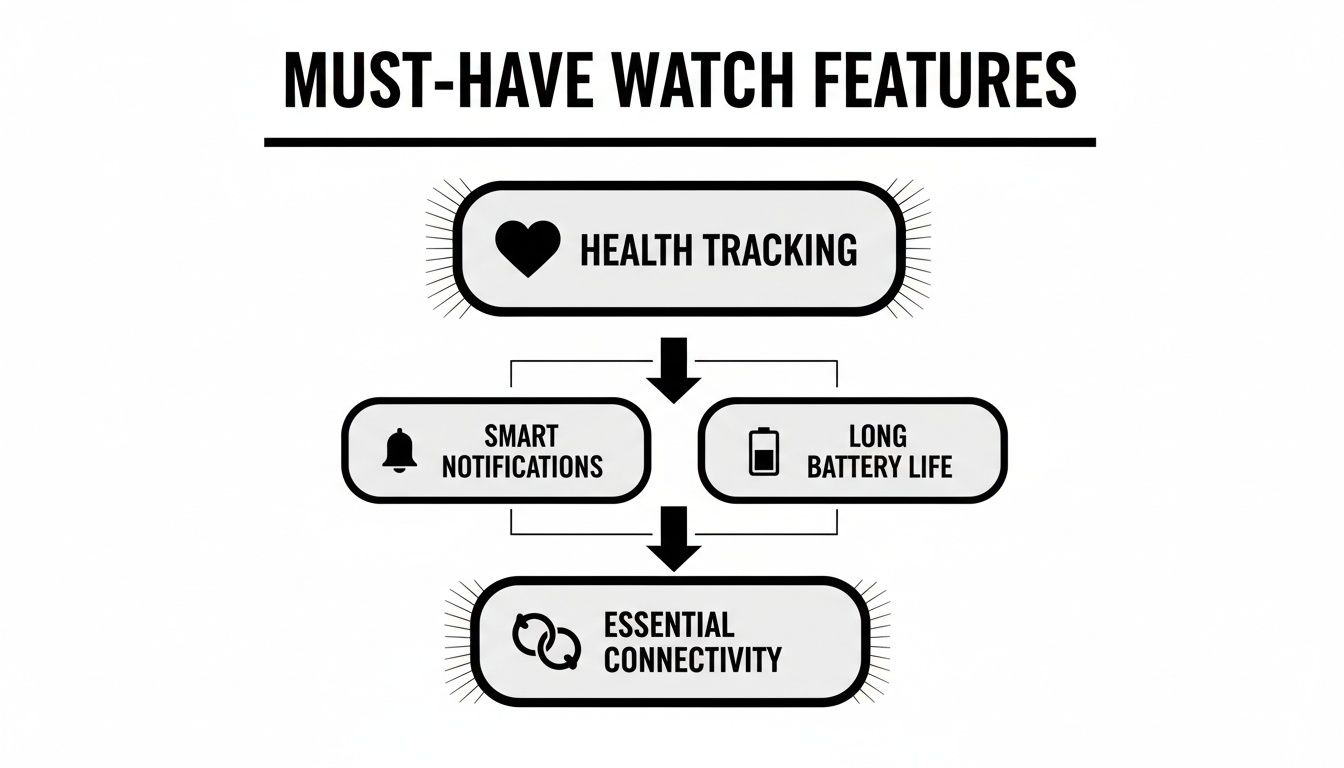
As you can see, a good balance of health monitoring, reliable notifications, and decent battery life is what makes or breaks a great smartwatch.
To make it even clearer, here’s a quick breakdown of what you can generally expect at each price point.
| Price Range | Common Features | Best For |
|---|---|---|
| Under $50 | Step/sleep tracking, basic notifications, LCD screen, phone-tethered GPS, plastic build. | First-time smartwatch users, kids, or anyone needing only the absolute basics. |
| $50 - $100 | Built-in GPS, AMOLED display, SpO2 sensor, more accurate heart rate, wider workout variety. | The vast majority of budget-conscious buyers looking for the best all-around value. |
| $100 - $150 | Premium materials (metal/aluminum), NFC for payments, smoother performance, more polished designs. | Users who want a more refined look and feel without paying flagship prices. |
This table should give you a solid starting point for matching your budget to your expectations.
Pushing your budget into the $100 to $150 bracket gets you surprisingly close to the feel of a high-end flagship watch. The focus here shifts from just pure function to include form and convenience. Designs get more sophisticated, often using higher-quality materials like metal casings, and the software experience is noticeably smoother.
This is where you'll start to find features that were once exclusive to expensive models. NFC for making contactless payments becomes a real possibility, and the processors inside are often zippier, making everything from checking the weather to scrolling through menus feel more responsive. If you care about a polished look and a slick user experience, this is the price range to aim for.
Alright, let's get into the nitty-gritty. Shopping for an affordable Android smartwatch can feel a bit like you're trying to crack a secret code. You're bombarded with tech jargon and glowing marketing promises. To find a watch that’s genuinely good, you have to learn to see past the fluff.
This is all about learning to read a spec sheet for what it really means and pulling the truth out of user reviews. It’s not about memorizing a bunch of numbers. It’s about understanding how those numbers will actually affect your day-to-day experience. Get this right, and you'll pick a winner based on what it can do, not just what the box says.
Spec sheets can be intimidating, loaded with acronyms that don't mean much to most people. Let's pull back the curtain on a couple of the most important ones, especially when it comes to a watch's durability.
A big one is water resistance. You'll see codes like IP68 and 5ATM, but they are not interchangeable. They mean very different things.
IP68 Rating: Think of this as "weather-proof." An IP68 rating means the watch is sealed against dust and can survive a dunk in shallow water—usually up to 1.5 meters for about 30 minutes. It’s more than enough for handling sweat during a workout, getting caught in the rain, or an accidental drop in the sink.
5ATM Rating: Now, this is your "swim-proof" rating. A watch rated at 5ATM is built to handle the pressure of being 50 meters underwater. If you want to track your laps in the pool, this is the spec you absolutely need to look for.
Knowing the difference here is crucial. It stops you from buying a watch that can't hang with your lifestyle, whether you're a runner, a swimmer, or just someone who can be a bit clumsy around water.
User reviews can be an absolute goldmine of honest information, but you have to know how to read them. A single glowing five-star review or an angry one-star rant rarely tells you anything useful. The real magic is in finding the patterns.
The trick is to ignore the extreme outliers. The most helpful reviews are the balanced, thoughtful ones from people who have actually lived with the watch for a few weeks or months and can talk about specific pros and cons.
Here’s how to approach it like a pro:
Find Your People: Hunt for reviews from users who seem a lot like you. If you’re a hiker, what are other hikers saying about the GPS accuracy and battery drain? Their experience is going to be way more valuable than someone who just uses it to check texts at their desk.
Use That Search Bar: Most retail sites have a search function within the reviews. Use it. Type in keywords like “battery,” “syncing,” “GPS accuracy,” or “screen visibility” to zero in on feedback about the features you care about most.
Look for Red Flags: One person complaining about a glitchy app might have a weird phone setup. But if you see dozens of people saying the companion app is a nightmare or the battery barely lasts a day, that’s not a fluke. That’s a pattern, and it’s a massive red flag.
So, you’ve picked out the perfect affordable smartwatch for your Android phone. Now for the fun part: making it yours. Getting up and running is usually pretty simple, but a few tweaks can turn that new gadget on your wrist into an extension of yourself.
The first thing you’ll do is pair it with your phone. Think of this as the digital handshake between the two devices. You'll need to download the watch’s companion app from the Google Play Store, then just follow the on-screen prompts to connect over Bluetooth. It typically only takes a few minutes.
Once your watch and phone are talking to each other, you can start molding the experience to fit your daily life. This is where you get the real value from your new device.
Pick a watch face: This is more than just a pretty background; it’s your command center. Choose a design that puts the info you care about front and center—maybe that’s your step count, the weather, your heart rate, or your next meeting. Most apps have tons of free options to play with.
Tame your notifications: A wrist that buzzes every thirty seconds is more annoying than helpful. Jump into the settings and be ruthless. Only allow notifications from your most important apps, like calls, texts, and calendar alerts. This one change makes a world of difference.
Don't stop at the basics. The real power lies within the companion app on your phone. This is where you can dig in and set things up just right. It’s where you can set your daily step goals or active minutes, turning your watch into a true fitness partner.
It's amazing what you can get in a budget-friendly watch these days. Even models under $100, which work with 90% of Android devices, pack health-tracking features that used to be exclusive to high-end devices. This leap in capability is a big reason these affordable wearables drove 60% of new adoptions in Asia-Pacific in 2024. You can see more data on the global growth of smartwatch features on Statista.
This shift means you're getting more bang for your buck than ever before. Spend some time exploring the app's settings—you can adjust everything from how often it checks your heart rate to the screen brightness, all of which helps you squeeze the most function and battery life out of your new watch.
Alright, let's tackle a few of those lingering questions you might have before pulling the trigger on a new smartwatch. Think of this as a final sanity check to make sure you're feeling confident about your choice.
You can reasonably expect a good affordable smartwatch to serve you well for two to three years. High-end models might get software updates for longer, but the actual hardware in a budget watch is often more resilient than people think.
The biggest factor that'll age your watch is the battery. Just like your phone's battery, it will naturally lose some of its capacity over the years. But honestly, with how fast technology moves, the features available on new budget watches in a few years will probably make you want to upgrade anyway. It's a fair trade-off for the price.
Don't skip the fine print here. Most solid brands will offer a standard one-year manufacturer's warranty, which is your safety net against any defects. Make sure you see that mentioned before you buy.
Even more important is the return policy. Look for sellers that give you at least a 30-day window. That's plenty of time to live with the watch, see if it genuinely syncs up with your Android phone without a fuss, and make sure it actually fits your daily routine. If you're seeing weird tracking numbers or constant connection drops in that first month, don't be a hero—send it back.
On a related note, your health data is personal. It's always a good idea to see what a brand says about data privacy. They should have a clear policy on their website and give you control over your information in the companion app.
Nope, this is one of the best parts about this category. For the most part, what you see is what you get. The overwhelming majority of affordable smart watches for android don't lock their best features behind a subscription wall. The companion app, software updates, and all the core health tracking are almost always included in the initial price.
The only time you might spend more is if you decide to buy fancy watch faces or specialized third-party apps, but those are completely optional. Your one-time purchase should cover everything you actually need.
Ready to discover the best tech without overspending? FindTopTrends curates top-quality gadgets and essentials that fit your budget and lifestyle. Explore our collection and shop smarter today at https://findtoptrends.com.




