


No products in the cart.


Free Shipping Australia-Wide

5 star customer service

Quality Tested Products

Hunting for a great gaming laptop that won't break the bank? It can feel like a mission impossible, but finding a solid machine for under $1000 is totally doable if you know where to focus your money. The secret is to zero in on a modern GPU, like an NVIDIA GeForce RTX 4050, and make sure it's backed by a decent CPU and at least 16GB of RAM. That's the trifecta that will deliver a fantastic 1080p gaming experience in most of today's games.
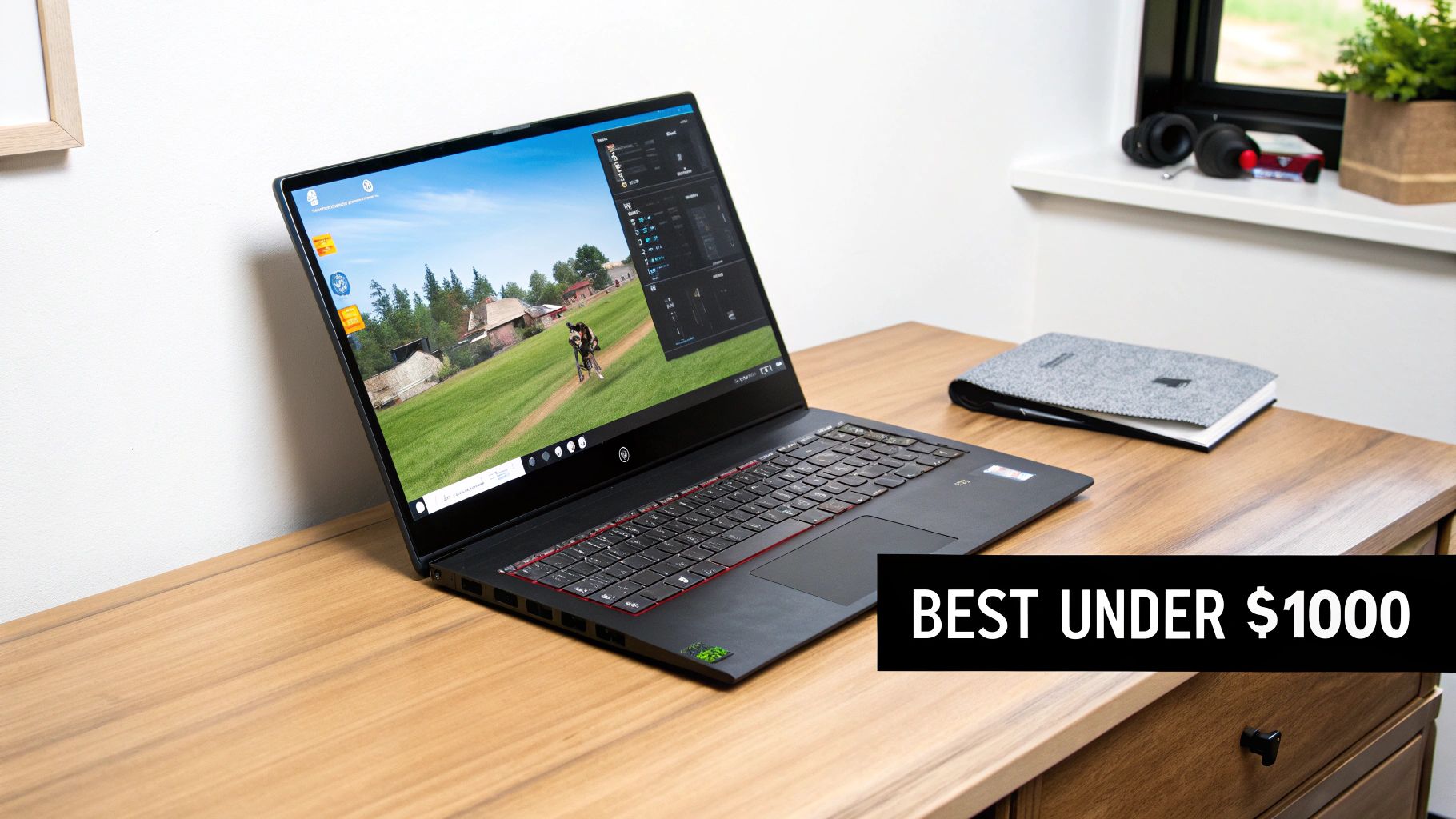
Let's be real: navigating the budget gaming laptop market is all about making smart trade-offs. You aren't going to find a feather-light, all-metal beast with a 4K screen in this price range. But what you can find is a machine that absolutely rips in-game, and that's what really matters. The goal is to pour your budget into the guts of the machine—the components that pump out high frame rates and keep your gameplay smooth.
Think of it like building a race car on a shoestring budget. You'd sink every last dime into the engine and the tires long before you'd even think about a flashy paint job or a premium sound system. For a gaming laptop, the GPU is your engine, while the CPU and RAM are the high-performance tires that keep it glued to the road.
To nail that sub-$1000 price point, manufacturers have to cut costs somewhere. Your job is to make sure those cuts happen in areas that won't cripple your gaming. It's perfectly fine to accept a plastic chassis instead of an aluminum one, or a keyboard with single-zone RGB lighting instead of per-key customization. These things are nice to have, but they don't get you more frames.
The one area you can't skimp on is the GPU. A modern graphics card, like an RTX 4050 or a sale-priced RTX 4060, is non-negotiable. These cards give you access to game-changing tech like DLSS (Deep Learning Super Sampling), which cleverly uses AI to boost your frame rates without tanking visual quality. It's basically free performance.
The single most important decision you'll make is the GPU. A laptop with an RTX 4050 will demolish one with an older RTX 3050, even if the other specs look identical on paper. This one component will define your laptop's gaming lifespan.
To help you cut through the noise, I've put together a quick cheat sheet. This table breaks down exactly what to prioritize for a gaming laptop under $1000.
Use this table to understand the critical specs for an excellent gaming experience versus the features you can compromise on to stay within your budget.
| Component | Essential Target (Non-Negotiable) | Acceptable Compromise (Good Value) | Why It's a Game-Changer |
|---|---|---|---|
| GPU | NVIDIA GeForce RTX 4050 / 4060 | NVIDIA GeForce RTX 3050 (6GB) | Powers graphics and frame rates; RTX 40-series unlocks DLSS 3 for huge performance gains. |
| CPU | Intel Core i5/i7 (12th Gen+) or AMD Ryzen 5/7 (7000-series+) | Intel Core i5 (11th Gen) or AMD Ryzen 5 (5000-series) | Manages game logic and prevents bottlenecks, ensuring the GPU can run at its full potential. |
| RAM | 16 GB DDR4 or DDR5 | 8 GB DDR4 (with easy upgrade path) | Allows for smooth multitasking and prevents stuttering in games that use a lot of memory. |
| Display | 1080p, 120Hz+ Refresh Rate | 1080p, 60Hz (not ideal for competitive gaming) | A higher refresh rate provides smoother motion, giving you a competitive edge in fast-paced games. |
Stick to these guidelines, and you'll be well on your way to finding a machine that delivers incredible performance where it counts without costing a fortune.
Diving into a spec sheet can feel like deciphering a secret code. Instead of just throwing a bunch of acronyms at you, let's talk about what actually makes your favorite games run. Think of your laptop's core components as a high-stakes film crew—each one has a critical job, and they all have to work together perfectly.
First up, and most importantly, is the GPU (Graphics Processing Unit). This is your star visual artist. It’s responsible for drawing every single frame you see on the screen, from the shimmering cityscapes in Cyberpunk 2077 to the frantic action in Apex Legends.
When you're hunting for a gaming laptop under $1000, the GPU is king. It has the single biggest impact on your frame rates (FPS), which determines how smooth and responsive a game feels. A powerful GPU paints a better picture, faster. Simple as that.
While the GPU is busy painting the picture, the CPU (Central Processing Unit) is the director calling all the shots. It’s the brain of the whole operation, handling all the complex logic behind the scenes—calculating physics, running the enemy AI, and telling the GPU what to draw next.
A good CPU makes sure the entire game runs without a hitch. If your director is slow, the artist (the GPU) ends up waiting around for instructions. That's when you get annoying stuttering and performance drops, even with a great graphics card. This is why getting the balance right is so crucial.
A laptop's gaming performance is a partnership. A powerful GPU can't hit its stride if it's constantly being held back by a weak CPU. It's like asking a world-class sprinter to run through deep mud—you'll never see their true speed.
For a sub-$1000 machine, you're looking for a specific combo that hits the value-to-performance sweet spot:
This GPU/CPU combination is your ticket to a fantastic gaming experience at 1080p. It’s the secret sauce that lets these budget-friendly laptops perform way better than their price tag suggests.
For example, a model like the MSI Katana 15 has become a fan favorite by pairing a 13th Gen Intel Core i7 with an RTX 4050 or 4060. This balanced setup lets it push impressive numbers, with some independent tests showing it can average 90-120 FPS in demanding titles like Cyberpunk 2077 on medium settings. You can discover more insights about these performance benchmarks to see just how much of a difference a well-matched system makes.
Finally, we have RAM (Random Access Memory). The easiest way to think about RAM is as the director's immediate workbench. It holds all the assets the game needs right now—character models, textures, map data, you name it.
If that workbench is too small, the system has to keep running back to the warehouse (your main SSD storage) to grab things. This constant back-and-forth is what causes jarring stutters and lag, which can be a death sentence in a fast-paced shooter.
For modern gaming, 16GB of RAM is the new standard. While you can get by with 8GB in some older titles, you'll feel the pinch almost immediately in newer games. The good news is that most gaming laptops under $1000 now ship with 16GB. And if you find a killer deal on an 8GB model, RAM is usually the easiest and cheapest part to upgrade yourself down the road.
A beefy GPU and CPU might be the heart of a gaming laptop, but that power means nothing if you can't see the action clearly or if the machine overheats after ten minutes. The other parts—the screen, the storage drive, and especially the cooling system—are what separate a good spec sheet from a genuinely great gaming experience.
This is exactly where manufacturers tend to shave off costs to sneak under that $1000 price tag. Being savvy about these "supporting cast" components ensures you get a laptop that feels balanced and premium, not one that's secretly a powerful engine strapped to a rickety frame.
Your display is your only window into the game world, and for gaming, the most critical spec is its refresh rate, measured in Hertz (Hz). This simply tells you how many times the screen redraws the image each second. A standard laptop screen is 60Hz, but for gaming, you absolutely want to look for 120Hz or higher.
Think of it this way: a 60Hz screen is like a 60-page flipbook. A 120Hz screen is a 120-page flipbook. The motion you see is dramatically smoother and clearer. In fast-paced shooters or action games, this isn't just a nice-to-have; it's a real competitive advantage for tracking targets and reacting instantly. If you plan on docking your laptop, our guide to the https://letsparty-au.myshopify.com/blogs/news/best-4-k-gaming-monitors can help you find a great external display to match.
When your graphics card is pumping out 100+ frames per second, a 60Hz monitor just can't show you all that work. It creates a bottleneck, and you end up seeing a jittery, less responsive version of what your hardware is actually producing. A high-refresh-rate screen unlocks your GPU's true potential.
Next up is the SSD, or Solid State Drive. This is where your games live, and how fast your laptop can pull data from it has a huge impact on how your games feel. In the sub-$1000 bracket, an NVMe SSD should be non-negotiable. They blow older storage types out of the water.
An NVMe SSD is like having a librarian who can teleport to any book you need. When your game needs to load a new area or a high-resolution texture, that data is delivered almost instantly. In practice, this means:
It's a massive quality-of-life upgrade you'll appreciate every single time you turn the machine on.
Finally, let's talk about the most critical—and often overlooked—part of a budget gaming laptop: thermals. Packing a powerful CPU and GPU into a tight laptop chassis generates a ton of heat. The cooling system is the only thing stopping that heat from tanking your performance.
When components get too hot, they automatically slow down to protect themselves. This is called thermal throttling, and it's the arch-nemesis of a stable gaming session. A laptop with a well-designed cooling system, featuring beefy fans and smart heat pipe placement, can run at full tilt for hours. Without it, you might get great performance for 15 minutes before your frame rate mysteriously drops off a cliff. For a deeper dive, it's worth understanding CPU thermal paste and cooling methods.
Some budget models really get this right. The Acer Nitro series, for example, often punches above its weight with both its screen and cooling. We've seen models with an AMD Ryzen 5 and an RTX 4050 that not only deliver great frame rates but also come with fantastic displays, hitting 371 nits of brightness and a 165Hz refresh rate. That’s a killer combo for esports. Ultimately, a laptop that stays cool is a laptop that stays fast, game after game.
Alright, we've covered the blueprint—what makes a great budget gaming laptop tick. Now it's time to get our hands dirty and look at specific, road-tested models that consistently punch well above their weight class. This isn't just a spec sheet dump; these are real-world recommendations built around how you actually play.
Instead of crowning a single "best" laptop, we'll spotlight a few top contenders that excel in different areas. Are you a competitive esports fanatic chasing every last frame? Or are you an all-arounder who needs a rig for both Elden Ring and your college papers? Don't worry, there's a fantastic machine for you under $1000.
This simple flowchart breaks down the two pillars of a great gaming experience. Get these right, and you're golden.
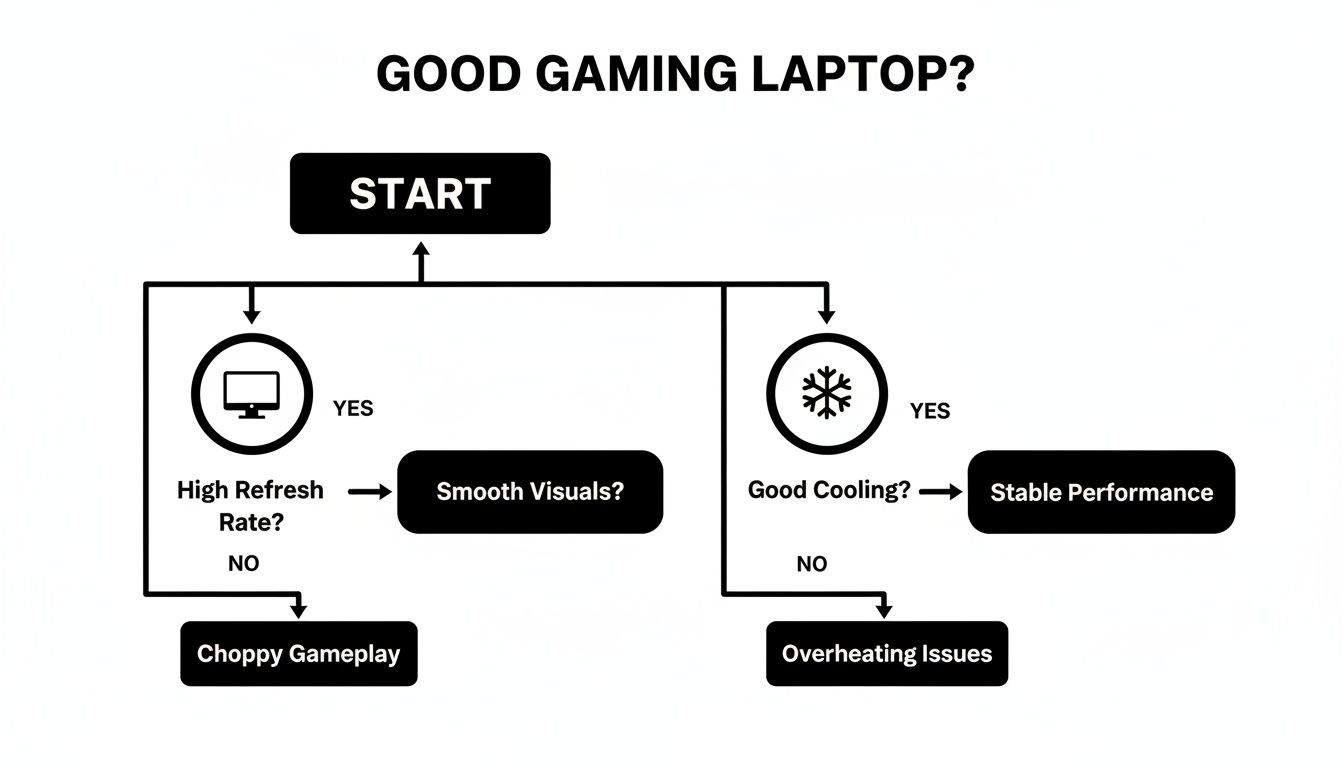
It’s a crucial reminder: the most powerful GPU in the world is useless if your screen can't keep up or if your laptop throttles from the heat.
If you live and breathe fast-paced games like Valorant, Apex Legends, or Fortnite, you know that every millisecond is the difference between victory and defeat. The Acer Nitro series, especially the Nitro 5, has earned its reputation as the king of this domain for one simple reason: it prioritizes what matters most for competitive play.
What's its secret? It’s a masterclass in smart trade-offs. Acer consistently pairs a capable GPU, like an RTX 4050, with a blazingly fast display. It’s common to find Nitro 5 models under $1000 rocking a 144Hz or even 165Hz screen. That high refresh rate is the key to unlocking the fluid, tear-free visuals you need to track targets and react instantly.
Maybe you're the type of gamer who wants to crank the settings to "Ultra" in demanding AAA titles like Cyberpunk 2077 or Baldur's Gate 3. If your goal is to push visual fidelity to its limits, you need a machine built for raw horsepower. That's where the MSI Katana line comes in.
The Katana 15 consistently packs some of the best CPU and GPU combos you can find for the money. It often features a potent Intel Core i7 processor alongside an NVIDIA RTX 4050—and if you catch a sale, sometimes even an RTX 4060. Backed by fast DDR5 RAM and MSI's excellent Cooler Boost thermal system, this machine is designed to sustain peak performance during marathon gaming sessions.
A laptop is more than the sum of its parts. A brand known for excellent cooling, like MSI, can often squeeze more sustained performance from the exact same GPU than a competitor with a weaker thermal design. It’s not just about the chip; it’s about how well the laptop keeps it cool.
Sometimes, the best gaming laptop is the one that simply stretches your dollar the furthest. Lenovo's LOQ series has completely shaken up the budget market by offering specs that feel like they belong in a much more expensive machine.
Lenovo's aggressive pricing means you can often find LOQ models sporting an RTX 4060 for under $1000—a deal that was practically unheard of just a year or two ago. The performance leap is massive; some of these configurations have posted 3DMark scores over 14,500, a staggering 45% improvement over previous baselines. With US sales for some models projected to hit 180,000 units by mid-2025, it's clear gamers are taking notice. You can usually find some of the top deals on these models at Best Buy.
These laptops are fantastic all-rounders, balancing pure gaming muscle with a clean, understated design that won't look out of place in a lecture hall or office. This makes the LOQ series a perfect choice for students or professionals who need one machine for work, school, and play.
Knowing what to look for in a gaming laptop is only half the battle. The other half is actually finding it at a great price. If you play your cards right, you can stretch that sub-$1000 budget and walk away with a machine that feels like it should have cost a lot more. It all comes down to timing and strategy.
Retailers are creatures of habit, and their big sales events are your best friend. We’re talking about the obvious ones: Black Friday, Cyber Monday, and Amazon Prime Day. During these windows, it’s common to see prices slashed by $100-$300, even on sought-after models. That price drop could be the difference between getting a perfectly good RTX 4050 and a much more capable RTX 4060 for the same money.
Beyond the major holidays, keep an eye out for back-to-school sales in late summer. This is another fantastic time to hunt for deals as companies fight for student business. For a more hands-off approach, you can set up price alerts. Our guide on using https://letsparty-au.myshopify.com/blogs/news/price-drop-alerts shows you how to track specific models you're eyeing, so you get notified the second a deal pops up.
Another trick up your sleeve should be the certified refurbished market. Don't confuse this with buying a used laptop off some random online marketplace.
Certified Refurbished Explained: These are laptops that were returned to the manufacturer or a major retailer for one reason or another. They go through a full inspection, get any necessary repairs, and are restored to like-new condition. The best part? They almost always come with a warranty, giving you peace of mind and saving you a nice chunk of change.
Going refurbished can be a game-changer. It often lets you jump up a performance tier—maybe snagging that RTX 4060 laptop for the price of a brand-new RTX 4050. There are some great resources out there offering tips for finding refurbished laptops that meet both your performance needs and your budget.
This last part is crucial: don't get so caught up in the deal that you forget to read the fine print. A gaming laptop is a big purchase, so you need to make sure you're covered if something goes wrong.
Here’s a quick checklist before you click that "buy" button:
Shopping smart is more than just chasing the lowest price tag. It’s about making a confident, informed decision. By timing your purchase, being open to refurbished options, and checking the warranty, you can score a fantastic deal and avoid that dreaded buyer's remorse.
Alright, so you’ve waded through the technical specs, lined up the top models, and you’re on the verge of picking a winner. Before you hit that "buy" button, let’s talk about what life is really like with a gaming laptop in this price range. A modern sub-$1000 machine is a powerhouse, but it's also a masterclass in smart compromises. Knowing where those compromises are made is the secret to loving your new rig.
First thing’s first: expect fantastic 1080p gaming performance. That's the sweet spot, and these laptops absolutely own it. You'll be tearing through popular esports titles like Fortnite, Valorant, and Apex Legends at super-high frame rates, making that high-refresh-rate screen sing. Even graphically intense AAA games—think Cyberpunk 2077 or Elden Ring—will run beautifully at medium-to-high settings, especially if you take advantage of performance-boosting tech like DLSS.
So, how do manufacturers pack all that gaming power into a machine that doesn't break the bank? They have to pull back in other areas, almost always in ways that don't hurt your frame rates.
Here’s a realistic look at the give-and-take:
To get the most out of your new machine, having the right gear is key. We've got some great ideas in our guide to the top must-have laptop accessories for better productivity that will help complete your setup.
Think of your new laptop as a specialized sports car, not a luxury sedan. It’s built for one thing above all else—performance. It might be a bit loud and not have all the creature comforts, but when it’s on the track, it absolutely flies.
At the end of the day, the best gaming laptop under $1000 is an incredibly potent machine that delivers an amazing experience for what you pay. As long as you understand its strengths and limitations, you can make a choice that aligns perfectly with your gaming goals and sets you up for countless hours of fun.
Diving into the world of budget gaming laptops can leave you with a few lingering questions. Let's tackle some of the most common ones that pop up right before you decide to buy.
Yes and no. It’s crucial to understand what you can and can't change.
Most laptops in this price range let you easily access and upgrade two key components: the RAM (memory) and the SSD (storage). Popping in another stick of RAM or a larger, faster SSD is usually a straightforward and affordable way to give your machine a nice boost down the road.
However, the brains of the operation—the CPU and GPU—are almost always soldered directly to the motherboard. You're stuck with them for the life of the laptop. This is exactly why I always stress getting the most powerful GPU you can afford from day one. It’s the single biggest factor in determining how long your laptop will feel relevant for gaming.
For 1080p gaming, the NVIDIA GeForce RTX 4050 is absolutely a solid choice. It's a surprisingly capable card that will run most modern AAA titles at medium-to-high settings while comfortably hitting that sweet spot of 60 FPS (or even higher).
The real magic here is NVIDIA's DLSS technology. By using AI to intelligently upscale the image, it can boost your frame rates dramatically without a noticeable drop in visual quality. For competitive esports games like Valorant or Fortnite, an RTX 4050 has more than enough horsepower to take full advantage of a 120Hz or 144Hz high-refresh-rate display.
If you're not in a rush, then 100% yes. Holding out for a major sales event is one of the shrewdest things you can do. Gaming laptop prices can swing wildly throughout the year.
Keep an eye out for these key shopping seasons:
Patience really pays off here. It's not uncommon to see a laptop with an RTX 4060 drop to the price of a standard RTX 4050 model, which is a massive performance jump for your money.
At FindTopTrends, our goal is to find you the best deals on high-performance tech so you can game smarter, not harder. Check out our curated collection of top-rated gaming laptops and accessories by visiting https://findtoptrends.com today.




