


No products in the cart.


Free Shipping Australia-Wide

5 star customer service

Quality Tested Products

A great standing desk for your home office needs to nail three things: smooth, easy height adjustment, a rock-solid build, and a work surface that’s actually big enough for your stuff. Some models, like the Fully Jarvis Bamboo, are celebrated for their good looks and eco-friendly materials. Others, such as the Uplift V2, are famous for their tank-like stability and endless customization. If you're watching your wallet, the FlexiSpot EC1 is a crowd-pleaser that delivers solid performance without the hefty price tag.
Picking out a standing desk is a genuine game-changer for a home office. It's an investment that pays you back every single day in better health, sharper focus, and more energy. When you break free from sitting all day, you bring more movement into your work life, and that's a huge win for your long-term well-being.
Before you dive in, it's worth getting familiar with the numerous standing desk benefits to really understand what a difference it can make.
The whole point is to effortlessly switch between sitting and standing, which breaks up those long, static hours. This simple habit can ease back pain, fix your posture, and even help you burn a few extra calories. The market is packed with options, though, so how do you find the right one for you? It really comes down to three main types of desks.
Let's start by breaking down the three main styles. Each one is designed for a different budget, workspace, and personal preference.
If you're still weighing the options, this quick flowchart can help point you in the right direction based on your budget, space, and how much effort you want to put into adjustments.
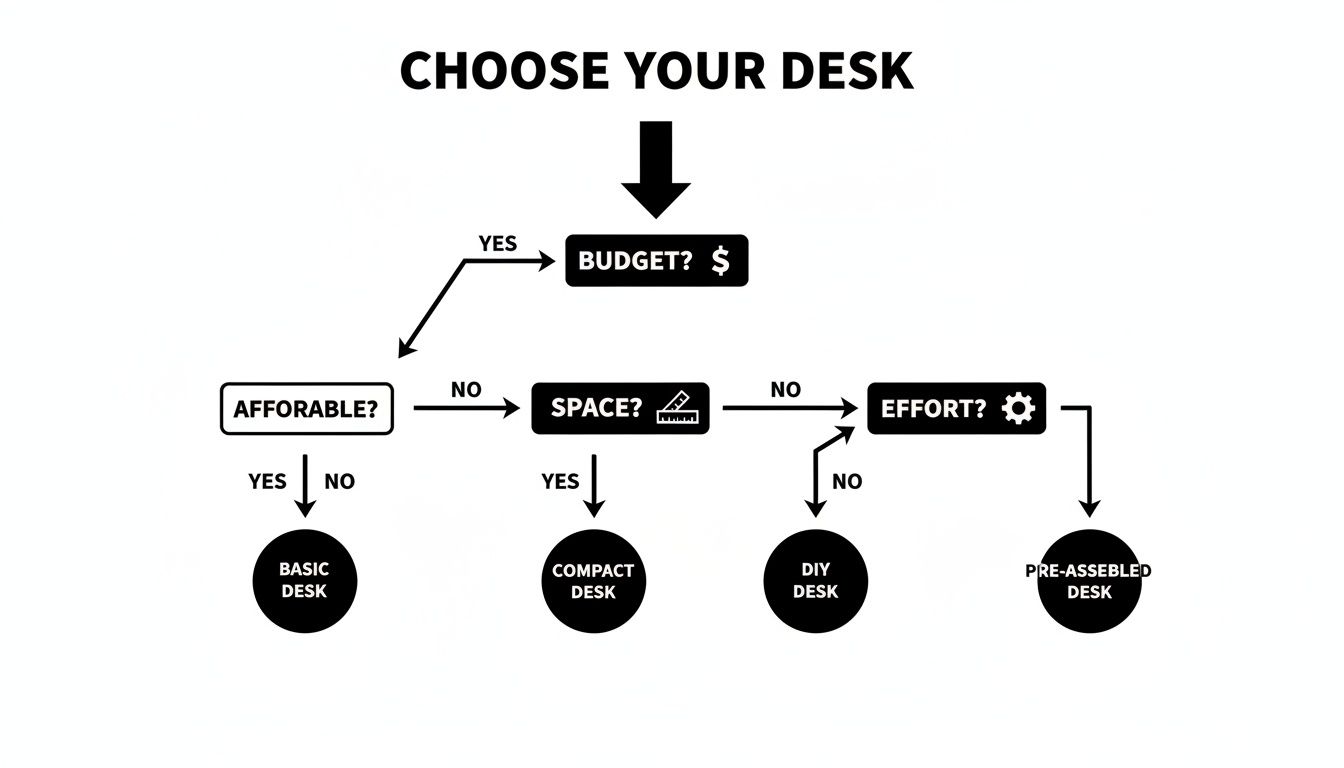
As you can see, if you're after pure convenience with zero hassle, an electric desk is the way to go. On the other hand, converters provide a smart, practical solution when budget and space are your main concerns.
A great desk is the cornerstone of an ergonomic workspace, but it's not the only piece of the puzzle. The right environment is just as important. For more tips on creating a productive space, check out these excellent home office lighting ideas.
To give you a clearer picture, here's a quick comparison of the common standing desks to help you find the perfect match for your home office.
| Desk Type | Best For | Typical Price Range | Key Feature |
|---|---|---|---|
| Electric | Frequent sit-stand switching & convenience | $400 - $1,500+ | Push-button motorized adjustment |
| Manual | Budget-conscious users, no power required | $200 - $500 | Hand-crank height adjustment |
| Converter | Using an existing desk, small spaces | $150 - $450 | Sits on top of a traditional desk |
Ultimately, the best choice depends entirely on how you work. Now, let’s dig a little deeper into what makes a standing desk truly great.
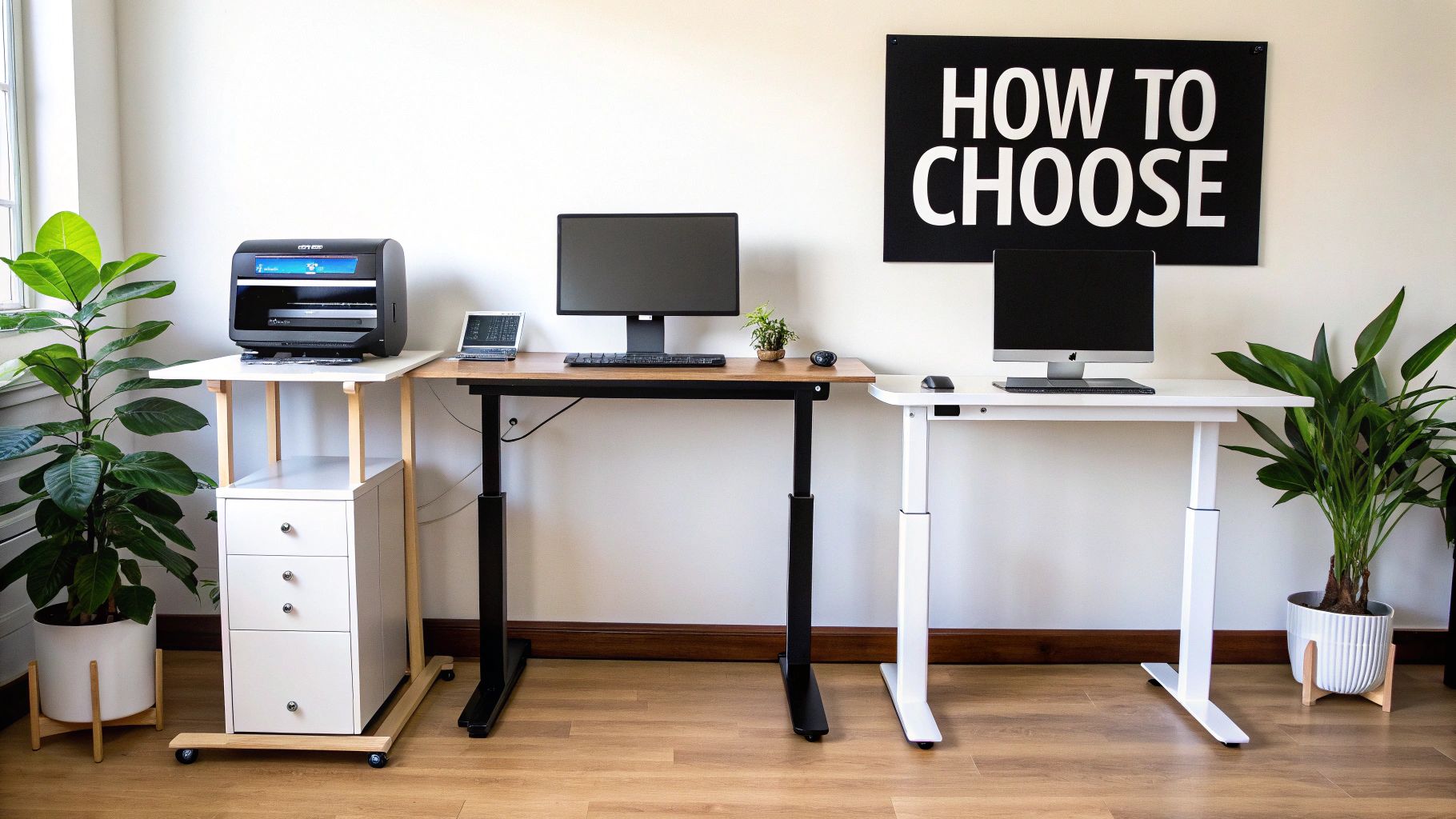
When you start shopping for a standing desk, it helps to think of them like cars. A fully electric desk is your luxury sedan—smooth, powerful, and convenient with the push of a button. A manual crank desk is like a reliable stick-shift; it takes a little more effort but gets the job done without fail. And a desktop converter? That's the e-bike of the desk world, giving your current setup a powerful boost without needing a complete overhaul.
Let's break down these three main types so you can see how they really stack up in a day-to-day work environment. We'll look at everything from how loud they are to how quickly they adjust and how stable they feel. By the end, you’ll have a much clearer picture of which one fits your workflow, budget, and home office.
The demand for better home office gear has exploded. The global standing desk market, valued at USD 8.14 billion in 2024, is expected to hit USD 11.06 billion by 2030. That's a huge jump, and it’s mostly driven by people like us setting up permanent remote workspaces, a trend backed by market trends in home office furniture.
There's a reason electric standing desks are the crowd favorite: they make switching from sitting to standing completely seamless. Just press a button, and your entire workspace glides up or down. This incredible ease of use is what actually encourages you to move more often, which is the whole point of getting one.
Most electric models come with memory presets, which are a game-changer. You can save your perfect sitting and standing heights, so you're not fumbling to find that sweet spot every time. This is especially handy if you share the desk. They’re powered by one of two systems:
The real win with an electric desk is how it just fits into your day. It removes all the friction, turning healthy movement into an unconscious habit instead of another task on your to-do list.
If you're working with a tighter budget or just appreciate a simple, no-fuss design, a manual standing desk is a fantastic choice. You use a hand crank to raise and lower the desk, giving you precise control. And don't worry—modern crank mechanisms are surprisingly easy and smooth to operate.
One of the best things about a manual desk is that it doesn't need to be plugged in. This gives you total freedom to place it anywhere, even in the middle of a room, without worrying about tripping over another cord. Their mechanical simplicity also means there are no electronics to potentially fail down the line.
The catch, of course, is the cranking itself. If you envision yourself switching positions frequently throughout the day, the novelty might wear off. Some people find it becomes just enough of a hassle that they stop adjusting the desk altogether, which defeats the purpose.
What if you already have a desk you love? That's where a standing desk converter comes in. This is a separate unit that sits right on top of your existing desk, creating a raised platform for your monitor and keyboard. It’s a brilliant, cost-effective way to get the benefits of standing without buying a whole new piece of furniture.
Converters come in all shapes and sizes. Some use springs or gas pistons to help you lift them with very little effort, while others are fully electric. They're perfect for smaller apartments or for anyone who isn't ready to commit to a full-size standing desk just yet.
The main trade-off is workspace. The platform is almost always smaller than a full desk surface, and the two-tiered layout can feel a bit cramped. Getting the ergonomics just right can also be a challenge since the height distance between your keyboard and monitor is often fixed. Still, for many, they are the perfect gateway into the world of sit-stand working.
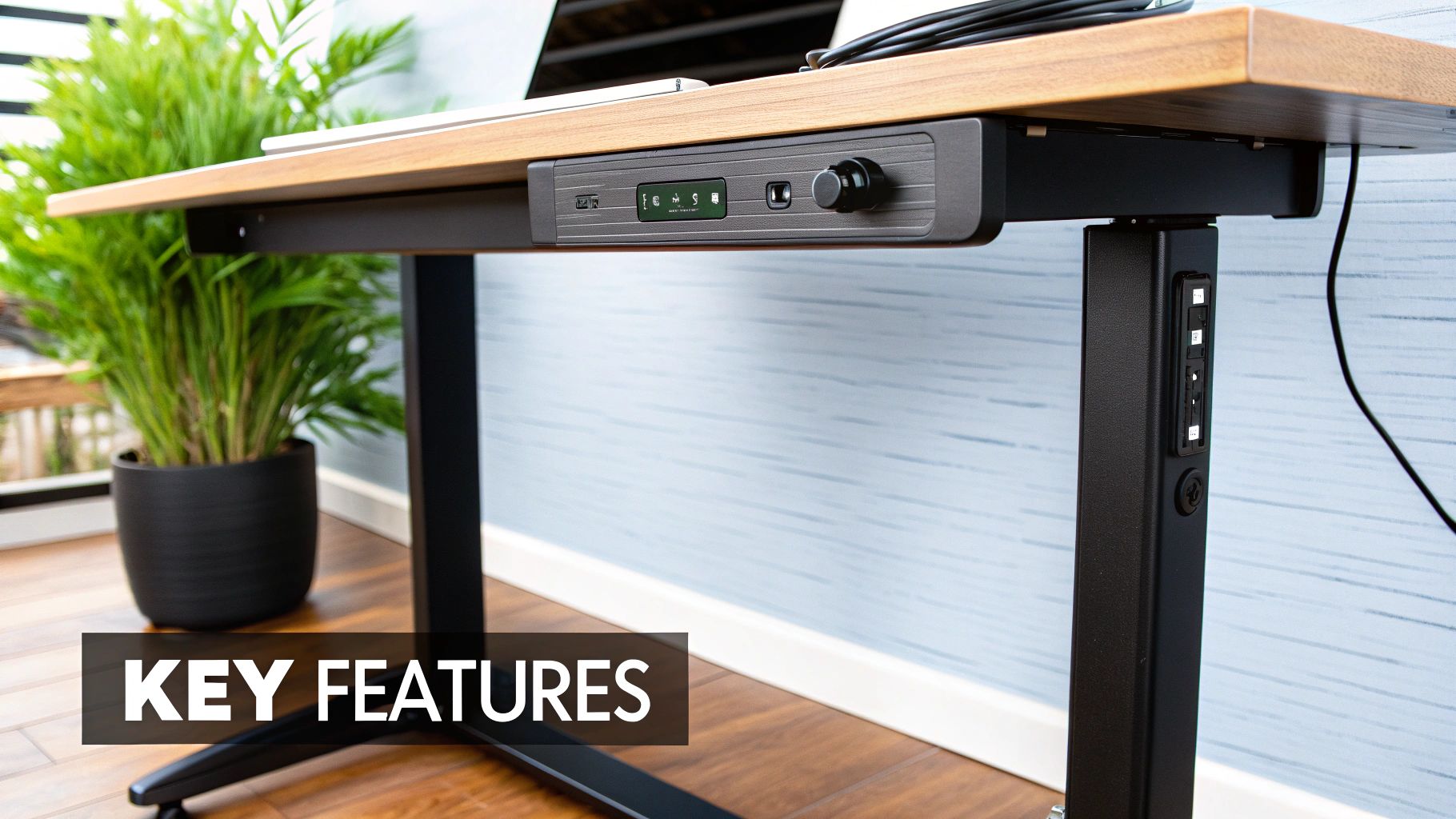
So, what separates a good standing desk from a great one? It really comes down to the details. Once you look past the tabletop, a few core features determine how the desk performs day-to-day and whether it's a worthwhile long-term investment.
Think of it like buying a car. You wouldn't just look at the paint job, right? You'd check what's under the hood. We're about to do the same for standing desks, focusing on the components that truly matter for your home office.
This is, without a doubt, the most critical feature. A standing desk that doesn't fit you for both sitting and standing has failed its one job. For proper ergonomics, your elbows should rest at a comfortable 90-degree angle with straight wrists, whether you're on your feet or in your chair.
Desks with a wider adjustment range—often those with three-stage legs instead of two—are far more versatile. They can accommodate a huge variety of heights, from shorter folks to people well over six feet tall, making them a much safer bet.
The motor is the heart of an electric standing desk. It's what dictates how quickly, quietly, and reliably your desk moves. Your choice here is usually between a single-motor or a dual-motor setup.
A single-motor desk uses one motor to lift both legs, usually connected by a drive rod. This design keeps costs down, but the trade-off is often slower, louder adjustments and a lower weight capacity. They're a solid entry-level choice, but they can definitely start to struggle if you have a heavy setup with multiple monitors.
In contrast, a dual-motor desk puts one motor in each leg. This system is a game-changer. The lift is smoother, faster, and much, much quieter. The synchronized movement also makes the desk more stable and lets it handle significantly heavier loads—perfect for power users with a beefy PC and several screens.
Nothing will ruin your focus faster than a wobbly desk. Frame stability is absolutely essential, especially when you raise the desk to its full standing height. A high-quality frame, usually built from heavy-gauge steel, will keep side-to-side sway and front-to-back wobble to a minimum.
A stable desk isn’t a luxury; it’s a necessity. It ensures your focus stays on your work, not on a shaking monitor every time you type.
Look for desks with a solid T-style or C-style leg design. A robust crossbar connecting the legs can also add a ton of support. Understanding how different pieces work together is key, and it's a principle that applies to all multifunctional home office furniture.
The desktop itself is your primary workspace, so its material and size are important. Common options range from affordable laminates and MDF to more premium bamboo and solid wood. Each one offers a different blend of style, durability, and cost.
Beyond the material, think about the dimensions. You need it to be deep enough to place your monitor at a comfortable viewing distance (at least an arm's length away) and wide enough to hold all your gear without feeling cramped.
Don't overlook this one! A messy nest of wires can completely ruin the clean, modern look of a standing desk and even become a tripping hazard. Thankfully, many of the best desks for home offices come with built-in solutions to keep things tidy.
Here’s what to look for:
A clean setup is about more than just aesthetics; it helps create a more organized and productive headspace. Good cable management is one of those small details that makes a massive difference. You can find even more ways to organize your space with our guide on ergonomic desk accessories.
To help you decide what's essential for your needs, here’s a quick breakdown of standard features versus the premium upgrades you might want to splurge on.
| Feature | Standard Option (Good for Budget) | Premium Option (Worth the Splurge?) |
|---|---|---|
| Motor Type | Single Motor | Dual Motor |
| Height Range | Two-Stage Legs (Smaller Range) | Three-Stage Legs (Wider Range) |
| Frame Stability | No crossbar, lighter steel | Heavy-duty steel, crossbar for support |
| Weight Capacity | ~150-180 lbs | 250+ lbs |
| Control Panel | Simple Up/Down Buttons | Programmable Presets, Digital Display |
| Desktop Material | Laminate, MDF | Bamboo, Solid Wood, Reclaimed Wood |
| Cable Management | None or basic grommets | Integrated Trays and Channels |
| Warranty | 1-3 Years (Frame & Motor) | 5-15 Years (Comprehensive Coverage) |
Ultimately, the best desk is one that fits your body, your equipment, and your budget. Use this checklist to prioritize what’s most important for your personal home office setup.
Let's talk money. How much should you really spend on a standing desk? The price tags are all over the map, but they don't have to be confusing. Once you understand what your budget gets you at each level, you can find the perfect desk without overspending.
Think of it like buying a car. You can get a basic sedan that gets you from A to B, a comfortable crossover with some nice tech features, or a luxury SUV with all the bells and whistles. They all drive, but the experience, build quality, and features are worlds apart.
Standing desks fall into three similar budget categories: entry-level, mid-range, and premium. Let's break down what to expect from each so you can match your needs to your wallet and avoid buyer's remorse.
This is where most people start, and for good reason. It's the most accessible price point for anyone just dipping their toes into the sit-stand lifestyle. Desks in this range are no-frills workhorses designed to deliver the core benefit—standing—without a hefty investment.
So, what does under $300 get you?
These desks are a fantastic choice for lighter setups—think a laptop, a single monitor, and a few desk essentials. They get the job done and make standing at work an affordable reality.
This is where the magic happens for most home office users. It's the sweet spot that perfectly balances cost, performance, and long-term durability. For a bit more of an investment, you get significant upgrades across the board, turning a basic desk into a reliable partner for your workday.
This tier is where you start seeing features that genuinely improve your workflow. To round out your workspace, take a look at our list of essential home office must-haves that pair beautifully with a quality desk.
Think of this tier as the "smart upgrade." You’re not just paying for a desk; you’re investing in a smoother, quieter, and more stable experience that encourages you to switch positions more often.
Here’s what you'll find:
Once you cross the $700 mark, you're entering the world of superior craftsmanship, high-end features, and ironclad warranties. These desks are often considered "buy it for life" pieces of furniture, blending sophisticated design with top-tier performance.
This is a market that’s absolutely booming. The Asia-Pacific region alone is projected to capture 24% of the $7.95 billion global market by 2025. This intense competition is driving innovation and pushing manufacturers to deliver incredible value, as you can see from these standing desk market insights.
In this tier, you should be looking for solid wood desktops, frames with lifetime warranties, and smart features like app integration or wellness reminders. They often have huge weight capacities exceeding 300 lbs and whisper-quiet motors, making them the ultimate choice for a high-end home office that’s built to last.
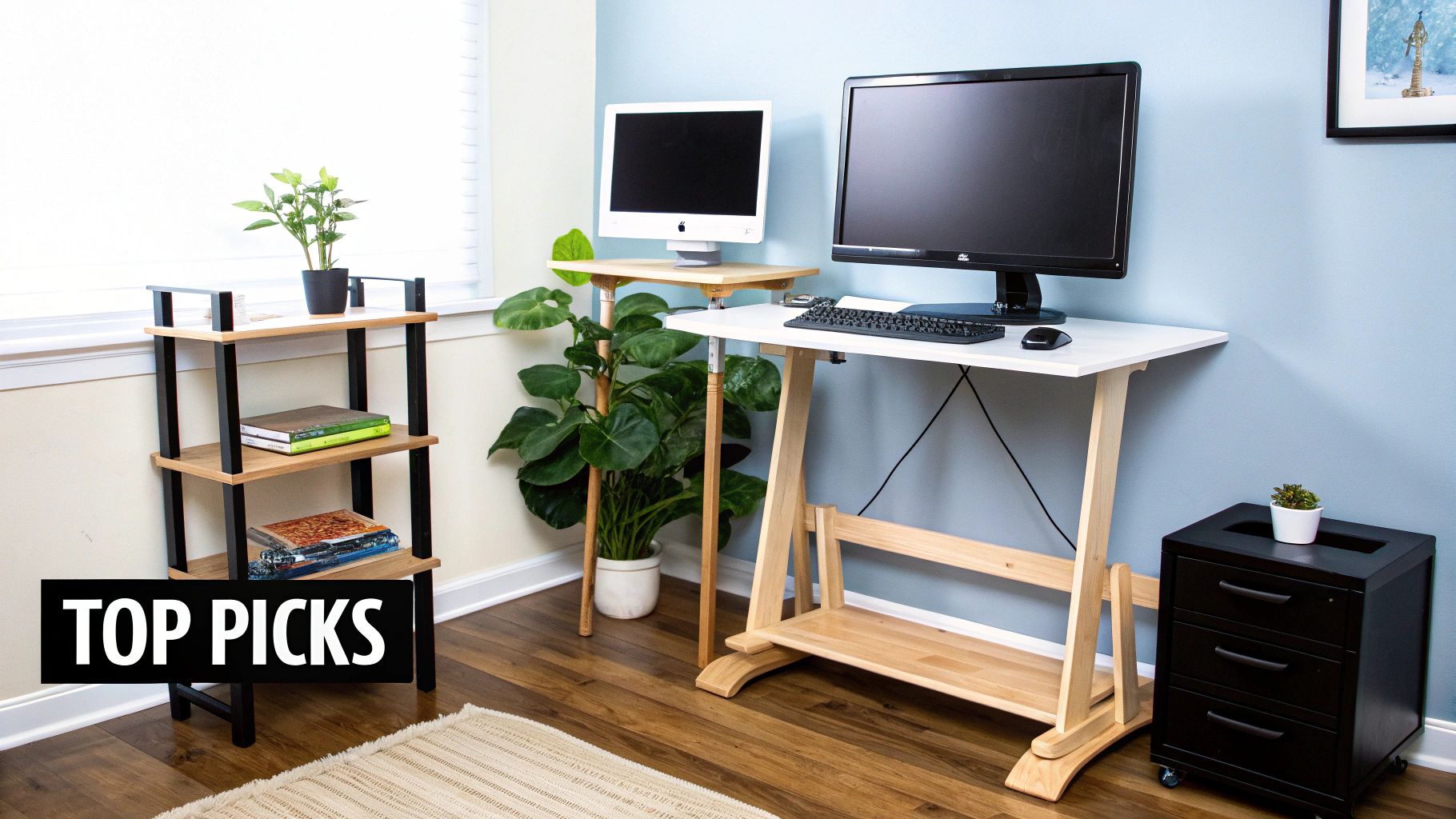
Alright, you've got the theory down. Now, let’s get to the good stuff—our top picks that have genuinely impressed us. Instead of just throwing a long list at you, we’ve sorted our recommendations into distinct categories. Think of this as your personal shopping guide, helping you zero in on the perfect desk for your specific situation.
Whether you're carving out a workspace in a tiny studio apartment or designing a full-blown productivity command center, there’s a desk here that will feel right at home. We'll get into exactly why each one shines in its category, covering everything from its core features and build quality to the little details that make a big difference. This way, you can confidently choose one of the best standing desks for a home office that fits your work style, budget, and space.
Just because you're short on square footage doesn't mean you have to miss out on the sit-stand revolution. For those tight spots, the best desk is one that offers full-size functionality without dominating the room. We're looking for a small footprint, smart design, and the kind of versatility that lets it tuck neatly into a corner or even pull double duty in a living area.
Our go-to choice here is a model that masterfully blends a compact desktop (usually in the 36” to 48” range) with a seriously stable lift mechanism. It’s proof that you don’t need a massive desk to create a comfortable, ergonomic setup. These desks also tend to have clean lines and a minimalist feel, which can actually help a small room feel bigger and less cluttered.
Let's be clear: "budget-friendly" shouldn't mean "cheap." You absolutely do not have to drain your bank account to get a reliable, high-quality standing desk. The best affordable models deliver on the core promise of sit-stand functionality with surprising durability, proving you don’t have to compromise on performance.
Our pick in this category is all about delivering maximum value for your money. It typically comes with a solid single-motor system, a no-fuss control panel, and a sturdy frame that can easily handle a monitor and a laptop. Sure, you might not get premium finishes like solid hardwood, but you will get a smooth, steady lift and a wobble-free work surface that holds its own against more expensive competitors. It's the perfect way to invest in your health without a huge upfront cost.
If you're someone who loves gadgets and a connected life, your desk shouldn't just be a piece of furniture—it should be a piece of tech. The best smart desks are built for the modern professional, seamlessly blending slick functionality with smart features that actually boost your productivity and well-being.
This is where things are getting really interesting in the desk world. While standing desk converters still hold a huge part of the market, it’s the smart desks with Bluetooth connectivity that are the fastest-growing segment. Tech-savvy users love the ability to sync their desk to an app for precise adjustments. Interestingly, for families and travelers shopping on FindTopTrends, the simpler portable converters are still a huge hit for their grab-and-go flexibility. If you want to dive deeper into these trends, you can learn more about standing desk market findings.
Our favorite smart desk is packed with features that go way beyond just going up and down.
This kind of desk is more than just a surface; it’s an active partner in your workday. It helps streamline your routine so you can stay focused on what really matters.
By breaking down our recommendations this way, we hope to point you straight to the desk that solves your biggest challenge. Whether your main concern is space, budget, or getting the latest tech, the right standing desk is out there, ready to completely change how you work from home.
Alright, so you're getting close to picking the right standing desk for your home office, but a few nagging questions are probably still bouncing around in your head. It's totally normal. Think of this section as the last little chat we need to have to get you over the finish line.
We'll tackle the practical, day-to-day stuff—the kind of questions that pop up after the desk is set up. From how much you should actually be standing to whether you'll need a toolbox and an engineering degree to build it, we’ve got you covered.
This is a big one. The idea isn't to trade sitting all day for standing all day. That just swaps one problem for another. The real magic is in the movement and changing your posture.
A great way to start is with a simple 30-30 rule: for every hour you work, aim to sit for 30 minutes and stand for 30 minutes. This rhythm breaks up long periods of inactivity and helps you stay fresh. Over time, you’ll figure out what works best for you, but it’s a solid, balanced starting point.
I get this question all the time. The short answer is no, not really. Most companies have put a lot of effort into making the assembly process as painless as possible. If you’ve ever put together a piece of furniture from IKEA, you can definitely handle this.
You’ll get clear instructions, and usually, all the tools you need are right in the box. Plan on it taking about 30 to 60 minutes. It's a bit quicker with a friend, but it’s absolutely a one-person job if you’re patient.
Don't let the thought of assembly hold you back. The process is far more straightforward than you might think.
A good electric standing desk is built to be a workhorse. The steel frames are incredibly durable and will last for ages. The parts you really need to think about are the motor and electronics, since they do the heavy lifting.
Reputable brands test their motors for thousands and thousands of up-and-down cycles. With regular use, you can easily expect a quality motor to last 5 to 10 years, and often longer. A solid warranty is a great indicator of quality—the longer the warranty, the more confidence the manufacturer has in their product's longevity.
Need? Maybe not. Should you get one? Absolutely. Standing for long stretches on a hard floor can be rough on your feet, knees, and back. It just gets uncomfortable after a while.
An anti-fatigue mat is a game-changer. The cushioning forces your legs to make tiny, subconscious movements, which keeps the blood flowing and takes a ton of pressure off your joints. It’s a small investment that pays off big time in comfort, letting you stand for longer without feeling wiped out.
Ready to discover the perfect items to complete your home office? Explore the latest curated collections and trending products at FindTopTrends and build a workspace you'll love. Visit us today at https://findtoptrends.com.




