


No products in the cart.


Free Shipping Australia-Wide

5 star customer service

Quality Tested Products

Hunting for the best budget mechanical keyboards can feel like a treasure hunt, but gems like the Keychron V-series and the Royal Kludge RK61 prove you can get a premium feel for well under $100. It's all about finding that sweet spot where a satisfying typing experience doesn't drain your bank account.
Welcome to the world of satisfying clicks, clacks, and thocks—without the eye-watering price tag. If you've ever used a standard, mushy keyboard and thought, "there has to be something better," you're in the right place. A good mechanical keyboard turns typing from a chore into a genuinely enjoyable, tactile experience. And the best part? You don't need to spend a fortune to get in on the action anymore.
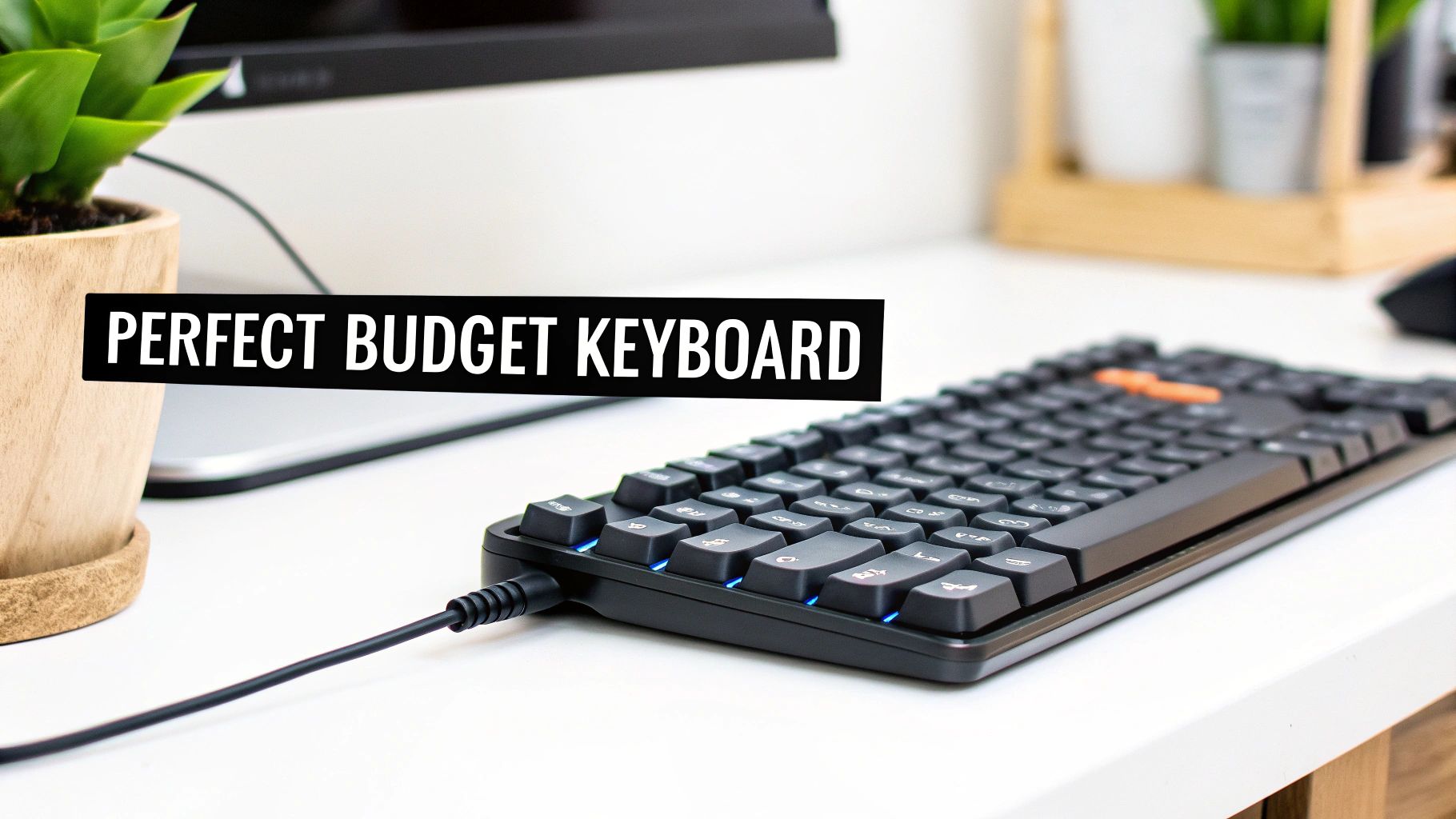
This guide is here to cut through the noise and show you exactly what to look for in a great budget board. We'll break it all down, step by step.
The mechanical keyboard scene has absolutely blown up, with the market projected to jump from $1.8 billion to $2.04 billion in a single year. This boom, driven by the rise of gaming and remote work, has been fantastic for buyers. It's pushed high-end features down into affordable territory.
Think about it: boards like the Keychron V5 Max now offer gasket-mounted designs and double-shot PBT keycaps—features once reserved for custom builds costing over $200—for less than half that. This trend has made a top-tier typing feel more accessible than ever. If you're curious, you can learn more about this growing market and how it’s changing the game.
Our goal is simple: to give you the confidence to navigate the crowded market and pick a winner. By the time you're done here, you’ll know exactly how to find a keyboard that’s perfect for your needs, whether you're a competitive gamer, a coder pulling all-nighters, or just someone who wants a clean, minimalist desk setup.
Before we jump into specific models, let's get to the heart of what makes a mechanical keyboard so different from the mushy, forgettable one that probably came with your desktop. It all comes down to one thing: the mechanical switch hiding under every single key. This little mechanism is the soul of the keyboard, defining how it feels and sounds with every press.
Think about the satisfying thunk of a well-made car door compared to a flimsy one. One feels solid, precise, and reassuring. The other just… closes. That’s the difference we're talking about.
Standard membrane keyboards use a single rubber sheet to register keystrokes, which is why they often feel vague and spongy. Mechanical keyboards, on the other hand, give each key its own dedicated switch—a spring-loaded mechanism that delivers a consistent and reliable feel, press after press. It’s a night-and-day difference you can truly feel.
Your first big decision is picking a switch type. This choice fundamentally shapes your typing experience, so it’s worth understanding the three main families. Each one offers a distinct feel and sound tailored to different people and tasks.
Here’s a quick guide to help you choose:
While switches get all the glory, a few other components are crucial to the overall experience. Knowing these terms will help you spot a truly great deal.
H3: Keycaps: The Part You Actually Touch
These are the plastic tops of the keys. Most budget boards use ABS plastic, which gets the job done but tends to get shiny and greasy over time. A huge step up is PBT plastic. It’s a more durable, textured material that resists that dreaded shine, keeping your keyboard looking and feeling great for much longer.
H3: PCB: The Keyboard's Nervous System
The Printed Circuit Board, or PCB, is the electronic hub that registers every press. The single most important feature to look for here, especially on a budget, is if it's hot-swappable.
A hot-swappable keyboard is an absolute game-changer for budget enthusiasts. It means you can pull out the switches with a simple tool and plug in new ones—no soldering required. This lets you try out different switch types down the road or easily replace a faulty one, massively increasing the keyboard's lifespan and value.
H3: Form Factor: Size and Layout
"Form factor" is just a fancy way of talking about the keyboard's size. You don't have to be stuck with a massive board that takes over your whole desk.
Once you understand these core pieces—the switches, keycaps, PCB, and form factor—you're no longer just buying a keyboard. You're choosing a set of components that work together to create the perfect tool for you, even when you're on a tight budget.
Alright, you've got the basics down. Now, let's get into the fun part: becoming a smart shopper. Finding a killer budget mechanical keyboard isn't just about grabbing the cheapest one you see. It’s about knowing how to spot premium features that have trickled down from the expensive enthusiast boards into more affordable territory.
Think of it like shopping for a used car. Two sedans might cost the same, but one has leather seats and a better engine. We're going to pop the hood on these keyboards to find those hidden gems that give you the most bang for your buck.
The very first thing you'll notice about a keyboard is how it feels in your hands. Is it solid and hefty, or does it feel a bit flimsy? That all comes down to the case material.
A heavier, more rigid keyboard doesn't just feel better; it actually changes the sound of your typing, often making keystrokes sound deeper and more satisfying.
Your fingers are on the keycaps all day long, so the material they're made from has a massive impact on how the keyboard feels and holds up over time.
Most entry-level keyboards come with ABS plastic keycaps. They're perfectly fine to start, but they have a notorious habit of developing a greasy shine after a few months of use as the textured finish wears away. They also tend to be thinner, which can create a higher-pitched, clacky sound.
The real prize is finding a budget board that ships with PBT keycaps. PBT (it stands for polybutylene terephthalate, but nobody calls it that) is a denser, more durable plastic that fights off that dreaded shine. It has a slightly textured, matte feel that stays consistent for years.
Pro Tip: Keep an eye out for "double-shot" PBT keycaps. This means the letters aren't just printed on top; they're molded from a second piece of plastic. The result? The legends will never, ever fade or wear off. Boards like the Keychron C2 Pro often include them, which is a huge win for longevity.
If there is one single feature you should hunt for in a budget mechanical keyboard, it's hot-swappable sockets. This is an absolute game-changer. It means you can pull the mechanical switches out and pop new ones in with a simple tool—no soldering, no technical headaches.
Why is this so crucial for a budget board?
This one feature turns what could be a simple entry-level purchase into a long-term hobby platform you can grow with. The infographic below shows the main switch types you'll be able to play around with.
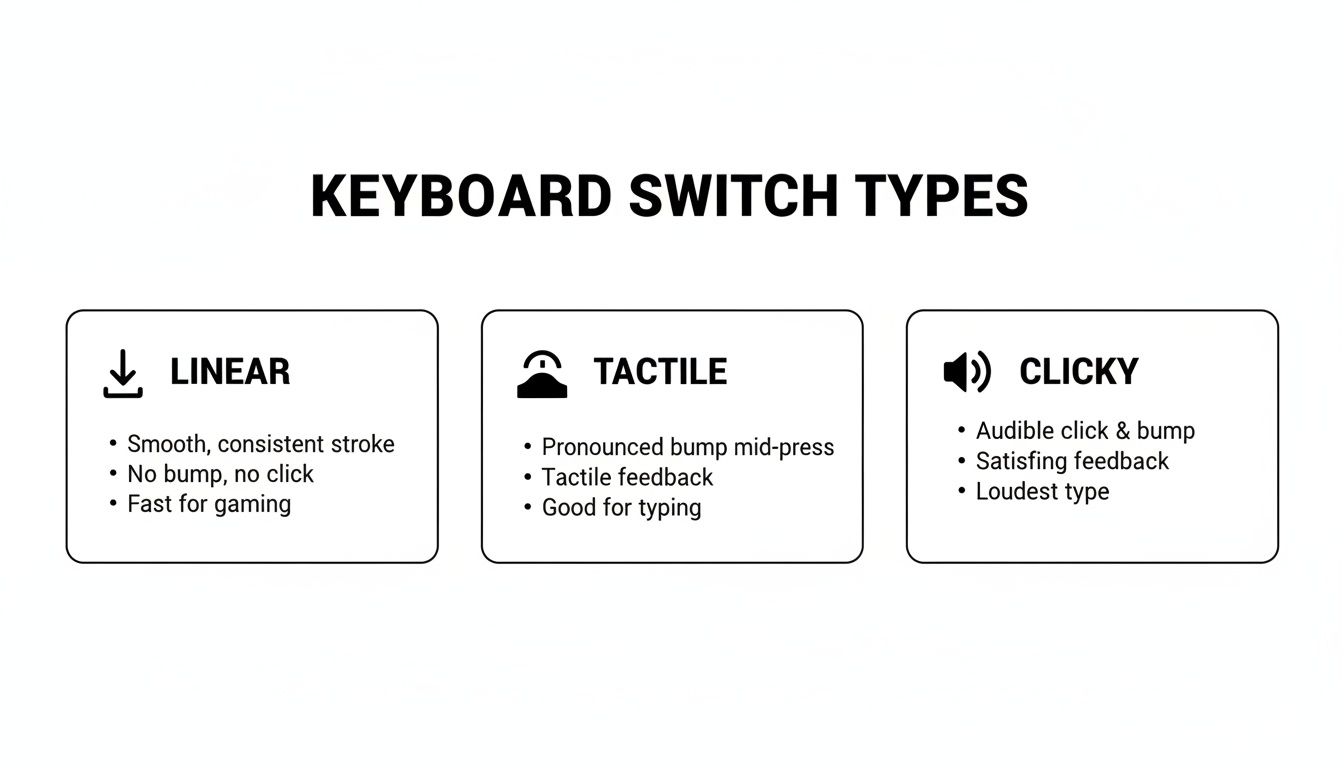
Having a hot-swap board means you have the freedom to discover which of these feels best for you.
How you connect your keyboard is another area where budget options have gotten incredibly good. You're no longer stuck with just a wire.
The Royal Kludge RK61 is a perfect example of a cheap keyboard that often comes loaded with all three connection types, making it incredibly versatile.
Here's a quick table to help you decide which features to prioritize.
This table compares common features found in budget mechanical keyboards, helping you prioritize what matters most for your needs and budget.
| Feature | Budget-Friendly Option (Good) | Upgraded Option (Better) | Why It Matters |
|---|---|---|---|
| Case Material | ABS Plastic | Aluminum Top Plate or Frame | Aluminum adds weight, rigidity, and a premium feel, improving both sound and typing experience. |
| Keycaps | ABS | PBT (especially double-shot) | PBT resists shine, feels better, and double-shot legends will never fade away. |
| Switches | Soldered | Hot-Swappable Sockets | Hot-swap lets you easily change, upgrade, or repair switches without buying a new keyboard. |
| Wireless | Wired Only / Bluetooth | 2.4GHz + Bluetooth | 2.4GHz offers a lag-free wireless connection essential for serious gaming. |
| Software | None / Basic Onboard Controls | QMK/VIA or Proprietary App | Advanced software allows for deep customization of keymaps, macros, and lighting. |
| Stabilizers | Standard, unlubed | Pre-lubed from the factory | Lubed stabilizers prevent rattling on larger keys (like the spacebar), a huge quality-of-life upgrade. |
By keeping an eye out for these high-value features, you can find a keyboard that not only fits your budget but also punches way above its weight class.
All this talk about switches and layouts is great, but let's get down to what really matters: finding the right keyboard for you. The best budget mechanical keyboard isn't just about specs on a page; it’s the one that feels like a natural extension of how you work and play.
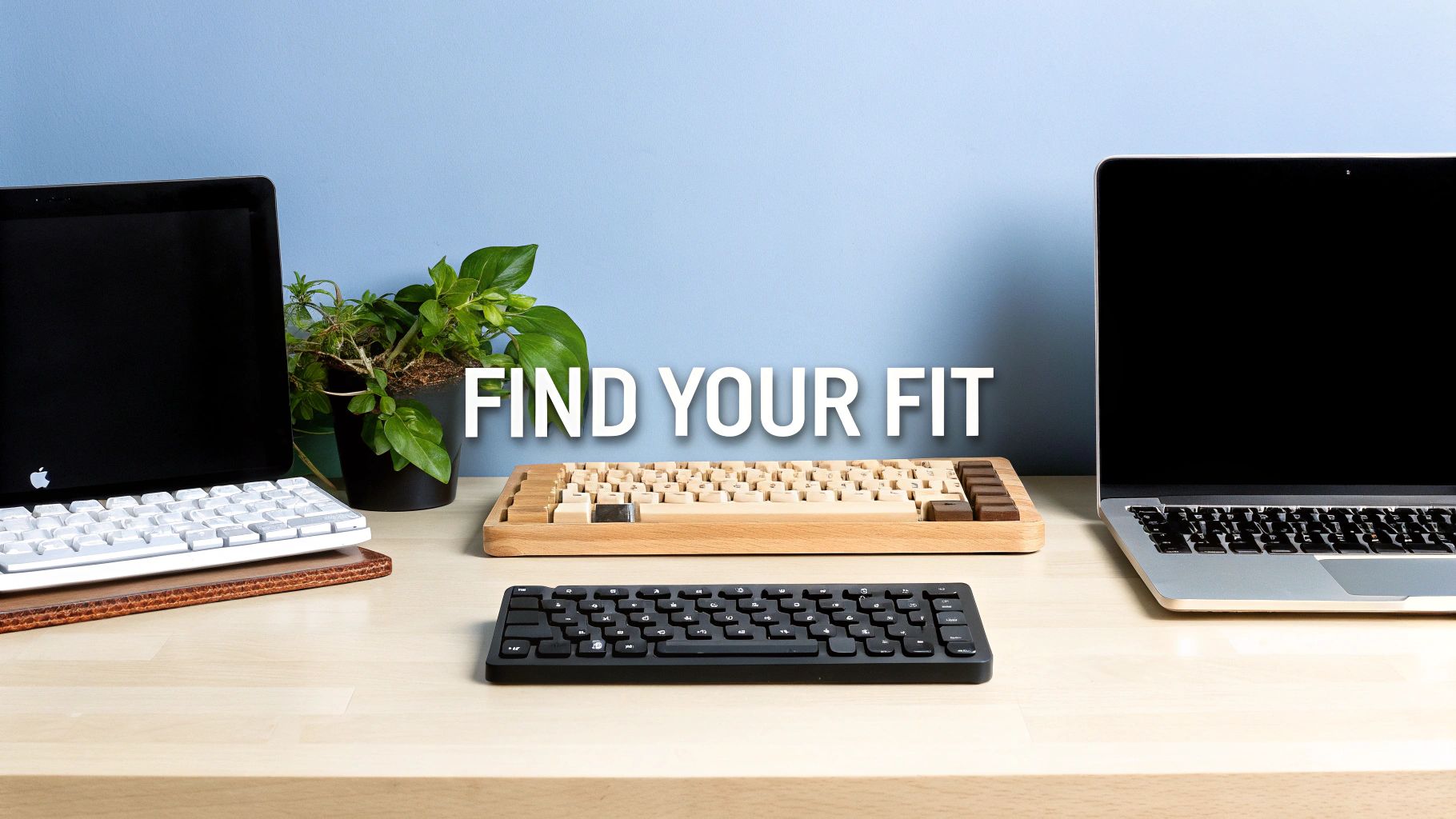
To help you connect the dots, we've sketched out three common user profiles. See which one sounds like you. By linking specific features to real-world situations, you can start to picture the perfect keyboard for your desk and make your choice with confidence.
You live for the clutch play, the split-second reaction. Every millisecond is the difference between winning and losing, and your gear absolutely cannot hold you back. Your keyboard isn't just an accessory; it's a precision tool built for speed.
For you, it's all about performance. That's why linear switches are your best friends. Their buttery-smooth, uninterrupted travel is perfect for rapid-fire key presses and double-tapping in the heat of battle. There's no tactile bump to get in your way.
A lag-free connection is also non-negotiable. While a wire is always the most reliable, a good 2.4GHz wireless connection is a fantastic alternative. It uses a dedicated USB dongle for a rock-solid signal, giving you the freedom of wireless without any noticeable input delay.
A smaller keyboard is a massive tactical advantage. Chopping off the number pad with a Tenkeyless (TKL) or 75% layout frees up a ton of desk space for your mouse. This is a game-changer in FPS titles where big, sweeping mouse movements are key to precise aiming.
Gamer-Focused Features to Prioritize:
The HyperX Alloy Origins Core is a classic example of this philosophy. It's a no-nonsense TKL board with a solid aluminum frame and fast linear switches that has become a go-to for gamers on a budget.
Your keyboard is where you get work done. You spend hours writing code, drafting documents, or deep in spreadsheets. For you, it's all about comfort, accuracy, and a typing experience that just feels good.
Your ideal board should make those long sessions feel less like a chore. This is where tactile switches are king. That subtle little bump you feel with each press gives you physical confirmation that the key has been activated, which helps improve accuracy and prevents you from slamming the keys down.
Efficiency is the name of the game. A full-size layout with its dedicated number pad is often the best bet for anyone who does a lot of data entry. If you don't live in spreadsheets, a TKL board gives you a more compact setup while keeping the full navigation cluster for easily editing text.
Typist-Focused Features to Prioritize:
A great pick in this category is the Keychron C2 Pro. It delivers a solid full-size experience with quality PBT keycaps and satisfying tactile switches right out of the box.
You're all about a clean, modern, and clutter-free workspace. Your setup probably involves more than just a PC—you might have a laptop, a tablet, and your phone all in the mix. You need a keyboard that's as versatile and compact as your lifestyle.
For you, a compact layout like a 65% or 60% is the clear winner. These boards ditch the function row and navigation keys but cleverly keep the most important ones (like arrow keys on a 65%) accessible through a secondary layer. The result is a tiny keyboard that looks fantastic and opens up your desk.
Wireless freedom is essential. Multi-device Bluetooth is your superpower here, letting you pair your keyboard with up to three different devices and swap between them instantly. It turns one keyboard into the command center for your entire tech ecosystem.
This is an area where budget brands have completely changed the game. For instance, the ROYAL KLUDGE RK61 is a titan in this space, capturing over 20% of the compact wireless market in some reviews thanks to its insane versatility. For around $50-60, this 60% board gives you Bluetooth, 2.4GHz, and wired modes in one tiny package. It's easy to see why it's so popular with travelers and minimalists, and you can learn more about how models like this are leading the budget category on rtings.com.
Minimalist-Focused Features to Prioritize:
Alright, you've got the knowledge. You can spot the difference between a high-value keyboard and a cheaply made one from a mile away. But knowing what makes a good board is only half the battle.
The final piece of the puzzle is knowing how and when to buy to stretch your dollar as far as it can go. A little bit of shopping strategy can turn a pretty good deal into an absolutely killer one.
Patience is a virtue, especially when it comes to tech. Just like with laptops or monitors, mechanical keyboards get some serious price cuts during major sales events. Waiting for the right moment can easily save you 20-40% on a board that will serve you well for years.
Beyond the big holidays, keep your eyes peeled for flash sales directly from brands like Keychron or on marketplaces like FindTopTrends, where curated deals can surface at any time.
We all know the household names like Razer and Corsair. They make solid products, but you’re often paying a bit extra for the brand itself. Some of the absolute best value in the keyboard world comes from smaller companies that focus less on massive marketing budgets and more on packing quality features into their boards.
Brands like Royal Kludge, Akko, and Epomaker have earned loyal followings for a reason. They consistently offer features like hot-swappable sockets, durable PBT keycaps, and cool, unique layouts at prices that the mainstream players have a hard time matching. Don't shy away from a brand just because you haven't seen it at your local big-box store.
Your best resource is always other people. A product page gives you the specs, but user reviews tell you the real story. Hunt for detailed feedback about how the keyboard actually feels and sounds to type on, and learn about any little quirks a spec sheet would never mention.
Before you hit that "buy" button, run through this quick mental checklist one last time. It’s easy to get caught up in the excitement of a good deal, but this ensures you're getting the right deal for you.
If you can confidently say "yes" to these five questions, you've found a winner. You now have everything you need to shop with confidence and find a keyboard you’ll genuinely enjoy using every single day.
Alright, let's tackle some of the common questions that pop up when you're zeroing in on a budget mechanical keyboard. Getting these last few details sorted out can be the difference between a good purchase and a great one.
This is probably the number one concern, and for good reason. No one wants to save a few bucks only to have their keyboard give up the ghost in six months. The good news? Even affordable mechanical keyboards are surprisingly tough. They're built to handle years of frantic gaming or heavy-duty typing.
The magic is in the switches. Unlike a standard membrane keyboard that uses a single, flimsy rubber sheet, a mechanical board gives every single key its own dedicated switch. These little mechanisms are absolute workhorses.
Most budget-friendly switches from reputable makers like Outemu, Kailh, or even the in-house brands from companies like HyperX, are rated for 50 million keystrokes. To give you some real-world context, if you typed 10,000 words every single day, it would still take you more than a decade to hit that number.
This built-in durability means you can mash those keys day in and day out without them turning mushy or unresponsive. The core technology is just fundamentally more robust.
Of course, the switches aren't the whole story. The keyboard's overall lifespan also depends on the build quality, which is why we've stressed looking for a few key features:
So, are they durable? You bet. A well-chosen budget mechanical keyboard will almost certainly outlive several cheap membrane models, making it a much smarter investment in the long run.
The short answer: it’s all about the switch you choose. Mechanical keyboards got their "deafeningly loud" reputation almost entirely from one specific type of switch. But there are plenty of options that are much quieter. Think of it like a car engine—some are designed to roar, while others are engineered to purr.
Here’s a quick breakdown of what you can expect from the three main switch families:
If noise is a big deal for your office, dorm room, or late-night gaming sessions, just steer clear of clicky Blue switches. Instead, linear (Red) or tactile (Brown) switches are fantastic choices that give you that great mechanical feel without driving your roommates or coworkers crazy.
Want to make things even quieter? You can.
With the right switches and maybe a couple of small tweaks, you can absolutely find a budget mechanical keyboard that’s perfectly happy in a shared environment.
Yes! And this is where the fun really begins. One of the best parts of the mechanical keyboard hobby is making your board truly yours, and you can absolutely do this with budget models. The customizations can be as simple as a new look or as deep as completely changing how the keyboard feels to type on.
The easiest place to start is with the keycaps. Think of it as giving your keyboard a new coat of paint. You can find thousands of keycap sets online in every color, style, and material imaginable. Just use a keycap puller (your keyboard might even come with one) to pop the old ones off and press the new ones on.
But the real game-changer for budget customization is getting a board with hot-swappable sockets. As we mentioned earlier, this feature is your golden ticket to a long-term hobby.
A hot-swappable board lets you pull out the mechanical switches and plug in new ones—no soldering, no technical skills required. This means you’re not stuck with the switches the keyboard came with. If you start with Reds but decide a year later you want to try Browns, you can buy a new set of switches for $20-$40 and completely transform your keyboard’s feel in under 20 minutes.
This feature adds an incredible amount of value and flexibility. It lets you experiment, upgrade, and even repair your keyboard over time, turning a simple purchase into a fun, evolving project. A ton of the best budget boards now offer this, so it’s definitely something to hunt for.
So, on most budget boards, you can easily customize:
Even on a tight budget, you've got a surprising number of options to craft a keyboard that looks, feels, and sounds just right.
Ready to find the perfect keyboard that matches your style and budget? Explore the curated collection of trending tech and accessories at FindTopTrends. We simplify your search for high-quality gear so you can shop smart and stay ahead of the curve. Discover your next favorite keyboard on findtoptrends.com today.




